Symbolics Genera application atlas
This is a map of the inspected Genera 8.5 world and media, not a promise that every Symbolics product is loaded or configured. Each D01-D60 row tells you what the area is for, a good first encounter, and the honest runtime boundary. Start with the linear working-session tour, then return here for direct access by software area.
Animated gesture guide
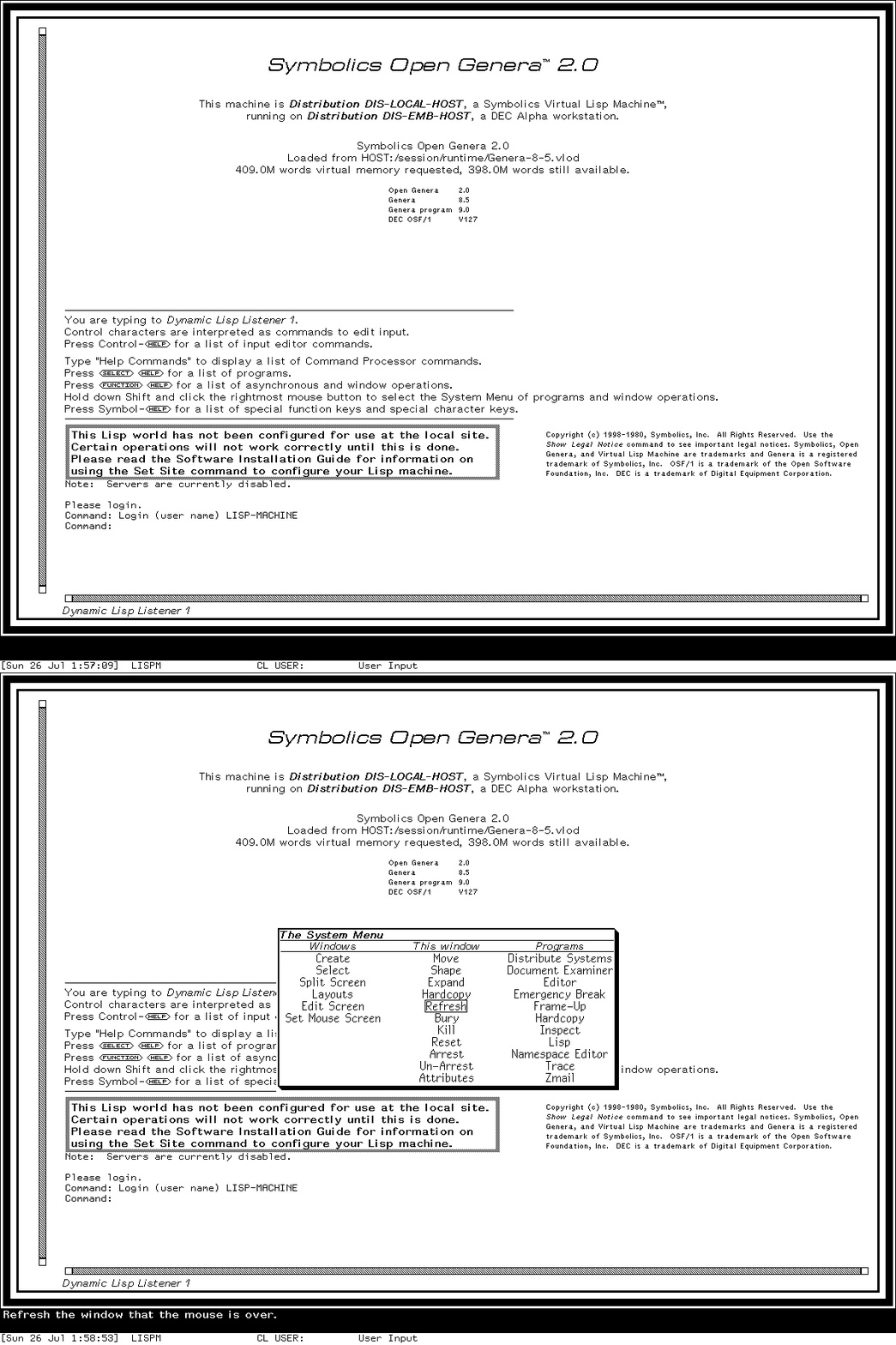
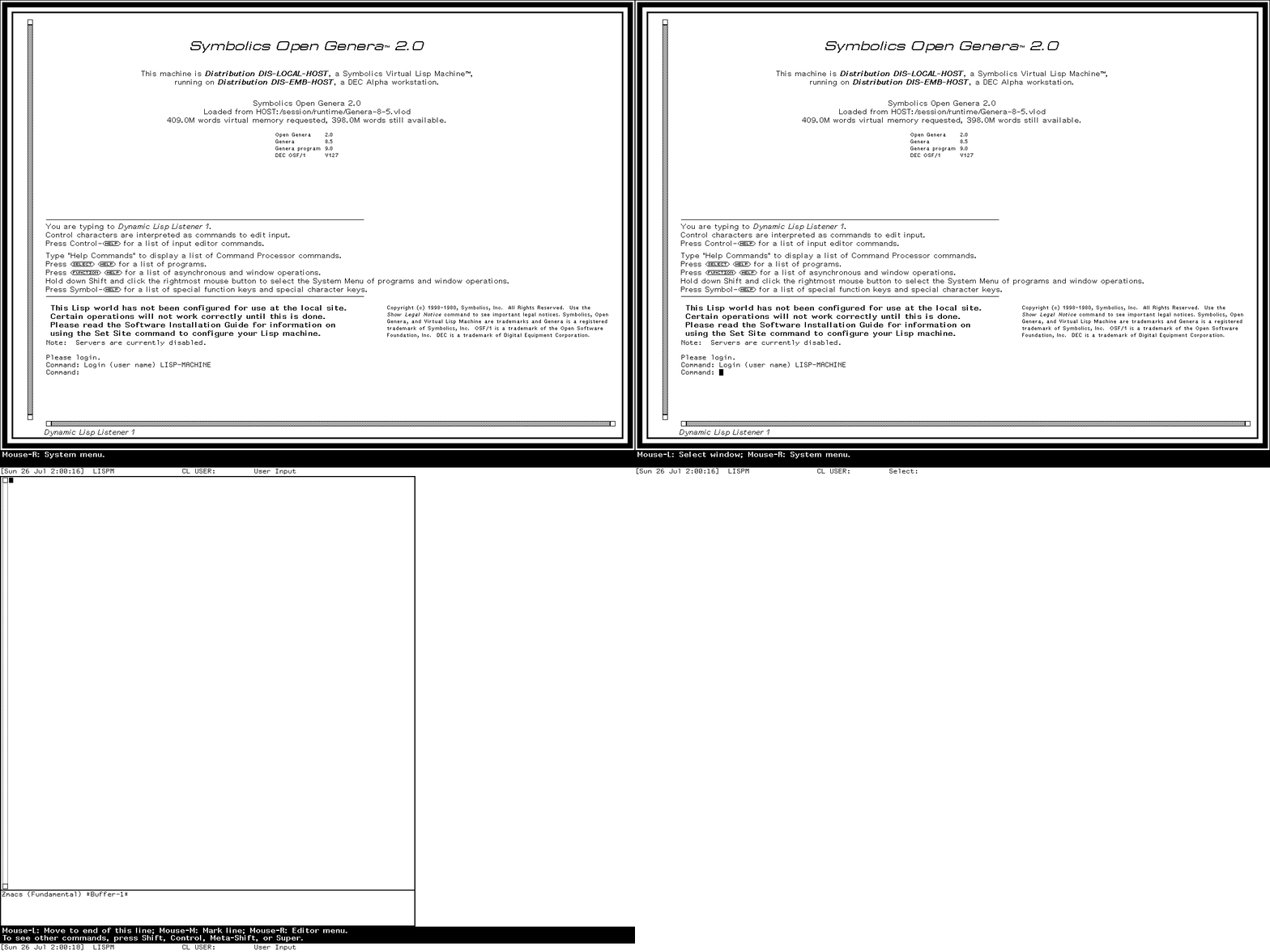
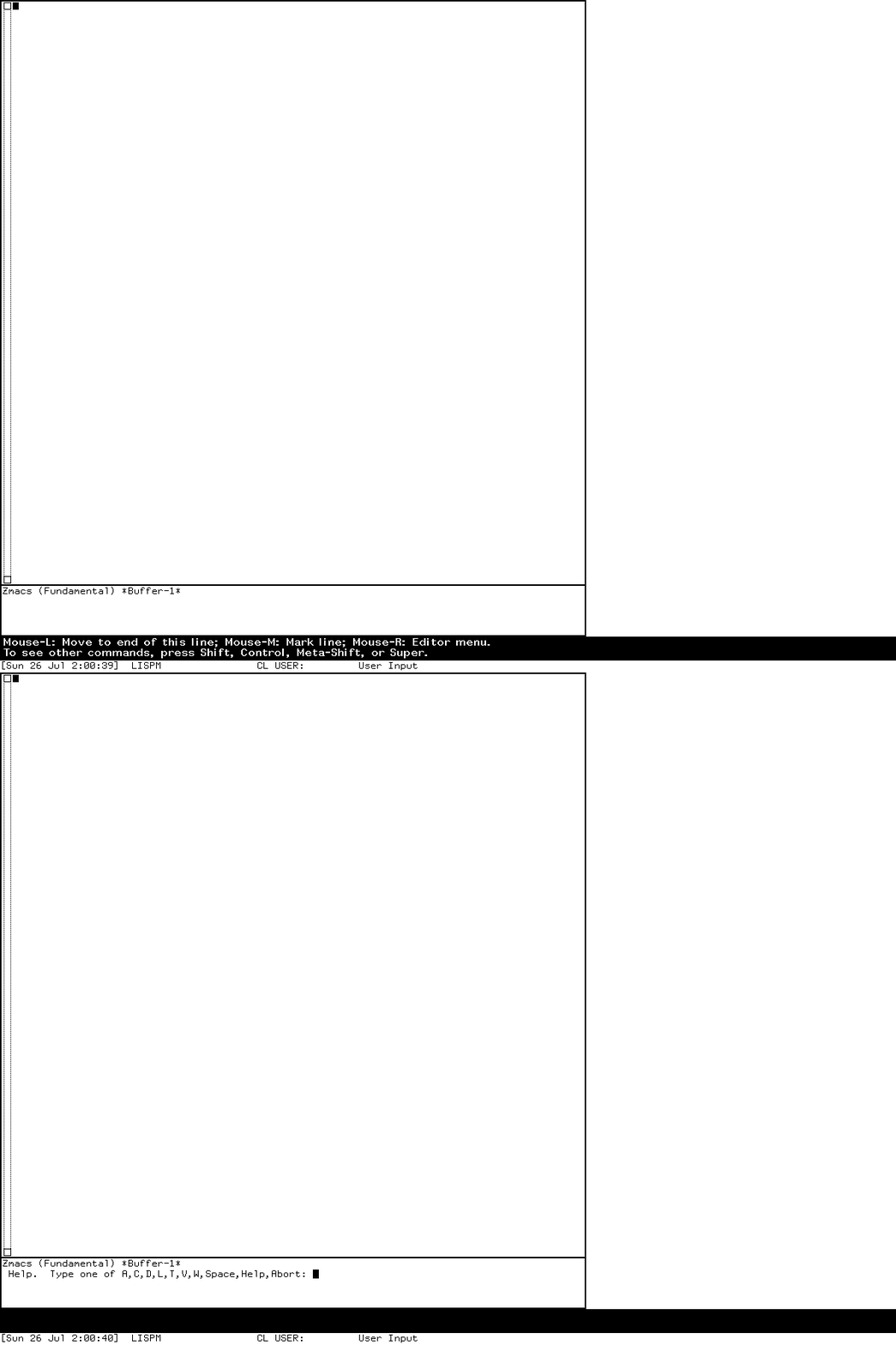
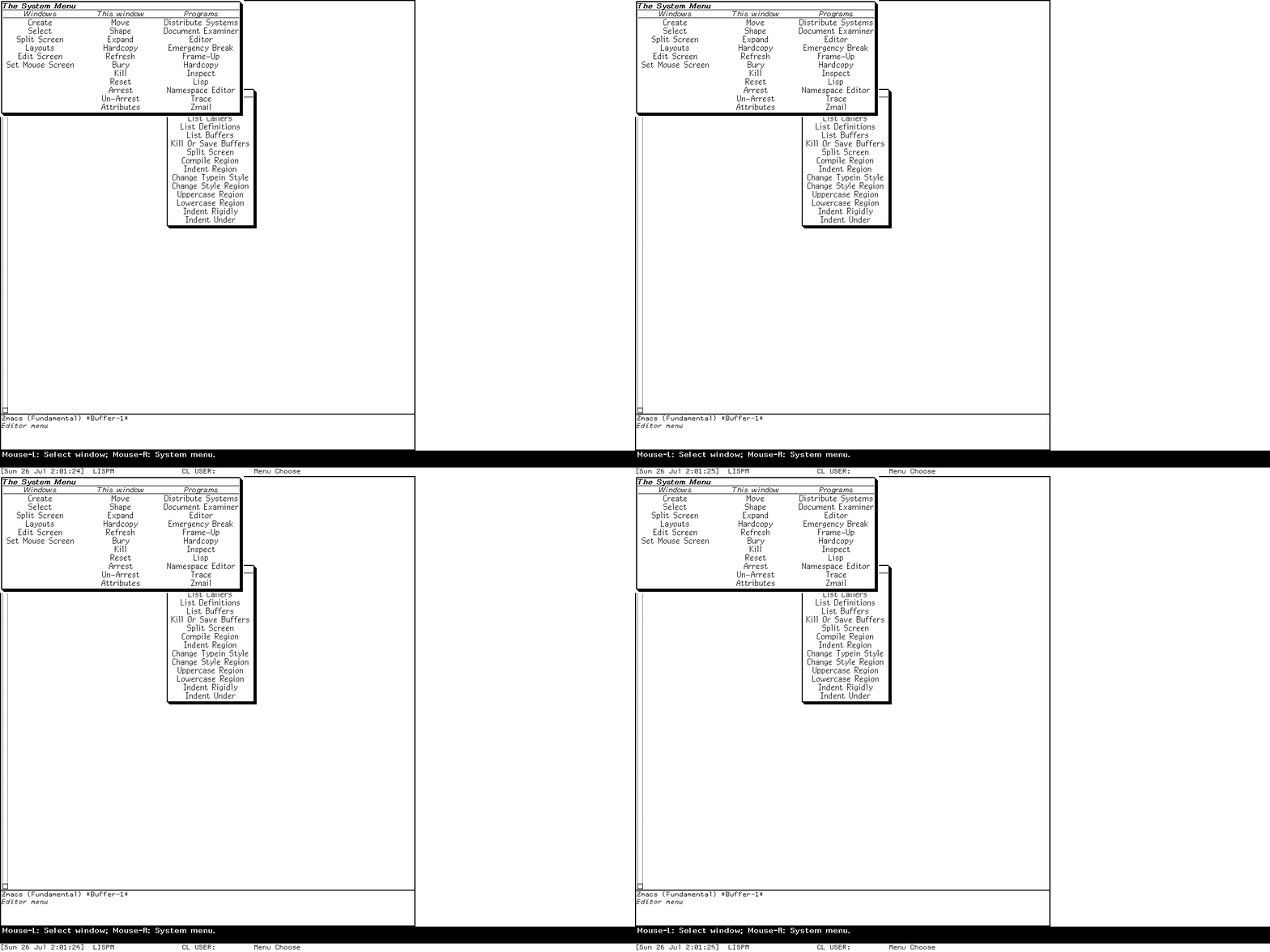
These compact reminders retain ordered action-boundary captures from the same Genera session. They do not claim real-time timing or omitted pointer motion.
Open the System Menu: Shift-Right over the client
Select the Editor activity: Select E
Ask Zmacs for contextual Help: Help
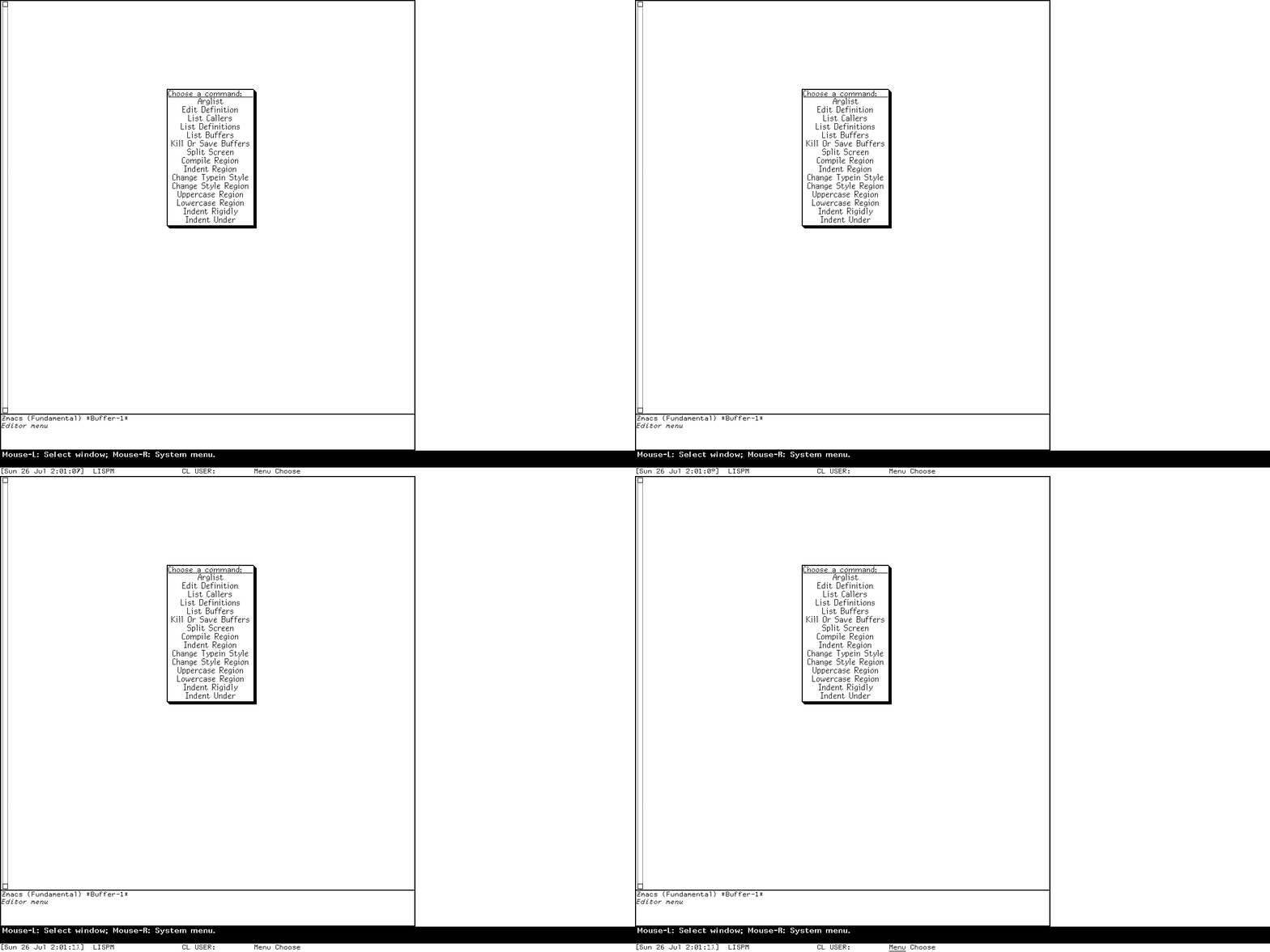
Open the Zmacs Editor menu
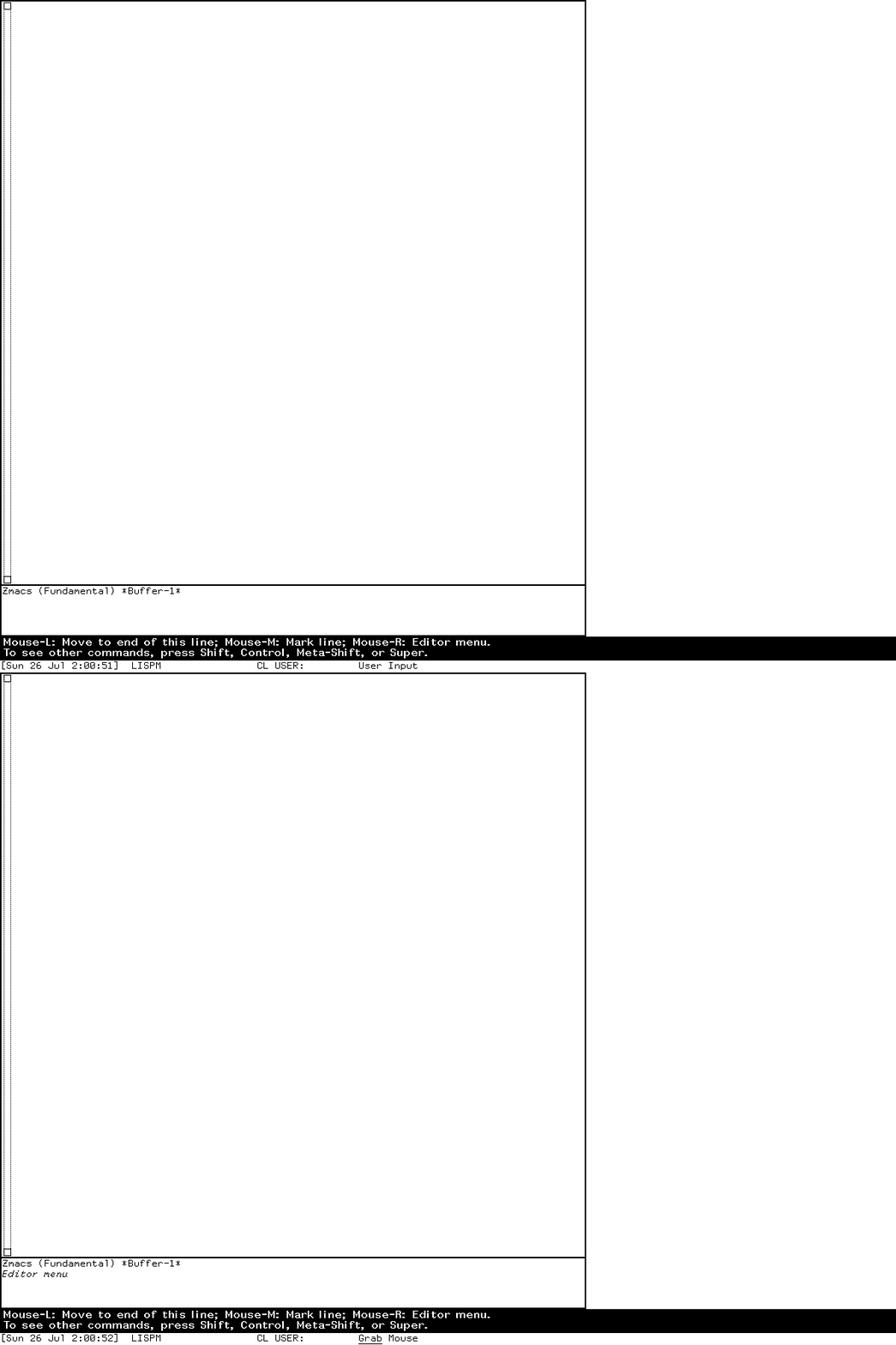
Request operations on a buffer presentation
Start a character-style input transaction
Everyday environment: D01-D16
| Area | What you would do | First tour stop | Preserved boundary |
|---|---|---|---|
| D01 Dynamic Lisp Listener | Evaluate Lisp and enter Command Processor commands with typed arguments. | Select L; evaluate (+ 40 2); enter Help Commands. Dossier |
Hands-on and reviewed; site warnings are real context. |
| D02 activities/windows | Select or create activities and manage windows/layouts. | Hold Shift-Right for System Menu; try Select E, then Select L. Dossier |
Hands-on basic selection; layout mutation remains a deliberate follow-up. |
| D03 Screen Editor/Frame-Up | Edit the live screen or design a program-frame layout. | Inspect Edit Screen, then Select Q for Frame-Up and study its pane model. Dossier |
Both distinct tools verified; do not treat Frame-Up as the replacement Screen Editor. |
| D04 Emergency Break | Recover through the separate cold-load stream. | Read the entry/resume sequence, then use only the verified synthetic arithmetic exercise. Dossier | Hands-on but recovery-oriented; the current VLM's bounded host-shutdown stall is separate. |
| D05 Zmacs | Edit code/text with modes, buffers, commands, presentations, and panes. | Select E; Help; Meta-X; Control-X 3 for a second editor window. Dossier |
Hands-on selected profile; optional/site overlays remain an oracle. |
| D06 directories/buffers | Stage file and buffer actions and compare directories. | From Zmacs, open Edit Buffers and mark a disposable buffer. Dossier | Mark verified; destructive execution and populated directory paths need controlled data. |
| D07 Document Examiner/Help | Search structured installed documentation and ask contextual Help. | Select D; identify Current Candidates, Bookmarks, Commands, and the menu; then ask Zmacs Help. Dossier |
Initial DEX frame reviewed; do not reproduce licensed Help prose. |
| D08 Zmail | Read collections, inspect messages, compose, filter, and send mail. | Select M; study the empty reader panes, then open a blank Text Mail composition buffer. Dossier |
Local frames verified; delivery host is absent. |
| D09 Converse/Notifications | Hold direct conversations and review retained notifications. | Select C for an empty form; Select N for the synthetic notification record. Dossier |
UI states verified; no peer delivery/reply transaction. |
| D10 Terminal | Connect to remote hosts with Telnet/NVT and terminal simulators. | Select T; inspect the Connect: prompt and abort. Dossier |
Disconnected state verified; no route or connected negotiation. |
| D11 Inspectors | Browse Lisp objects and diagnose presentation types/handlers. | Select I on a short list; then follow the Presentation Inspector's integer example. Dossiers |
Synthetic objects verified; Presentation Inspector is a distinct diagnostic client. |
| D12 Debuggers | Navigate conditions, frames, restarts, and graphical stack displays. | Signal the documented synthetic condition; compare ordinary Debugger and Display Debugger. Dossier | Reviewed safe probe; never casually proceed from an unfamiliar real condition. |
| D13 Trace/Stepper | Trace calls, step execution, install breakpoints, and find callers. | Trace a researcher-owned function and remove the trace afterward. Dossier | Basic trace/call analysis verified; disruptive breakpoint paths deferred. |
| D14 Peek | Watch processes, windows, files, and networks. | Select P; choose Processes and read the display before using any object operation. Dossier |
Process view verified; destructive actions not exercised. |
| D15 Metering | Sample, report, and visualize performance data. | Read the metering dossier and identify the substrate versus Metering Interface. | Optional load reached unavailable file service; no visible frame claimed. |
| D16 Flavors/CLOS | Examine Flavor and CLOS class relationships and methods. | Select X for Flavor Examiner; inspect a researcher-defined CLOS class separately. Dossier |
Both views reviewed; distinct object systems. |
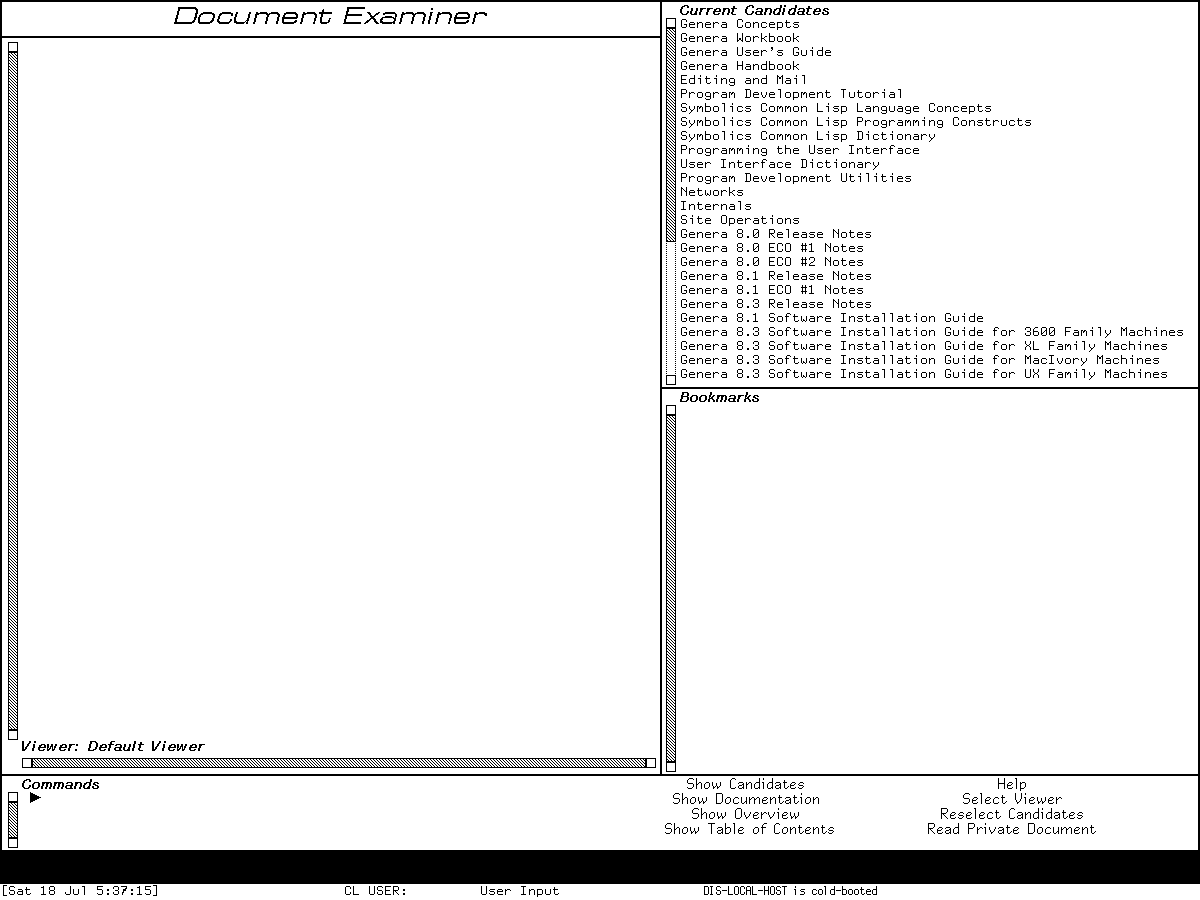
Runtime observation: the D07 first-tour frame. It establishes the visible application layout without reproducing a documentation article or claiming every search result.
Files, operations, and implementation: D17-D27
| Area | What you would use it for | First tour stop | Preserved boundary |
|---|---|---|---|
| D17 file systems | Work with host files, NFILE, NFS, LMFS, Dired, and File Server. | Learn logical pathnames, then inspect Dired with synthetic data. Dossier | Harness provides no guest-visible host file service. |
| D18 FSEdit | Inspect and repair file systems. | Read the FSEdit dossier and classify every command before use. | Destructive runtime intentionally deferred. |
| D19 tape | Read/write formats, transports, distributions, and FEP tape media. | Tour the command inventory in the tape dossier. | No device or remote tape service; do not infer from installed commands. |
| D20 Namespace Editor | Browse and edit namespace objects for sites, hosts, users, and services. | Open Namespace Editor from System Menu and study the empty frame. Dossier | Empty frame reviewed; world is not a configured site and persistence is deferred. |
| D21 service dashboards | Operate Mailer, Printer Spooler, Domain Server, and File Server programs. | Compare their common program/log architecture in the dossier. | Services are disabled/unconfigured; local program presence is not service success. |
| D22 runtime/compiler | Compile, macroexpand, disassemble, schedule, collect, and inspect execution contexts. | Compile and disassemble a tiny function; check GC Status. Dossier | Harmless probes reviewed. |
| D23 compiled objects | Load/dump compiled code, relocate, serialize, and inspect UNFASL limits. | Read the QFASL dossier. | Infrastructure; L-BIN, BIN, KBIN, and C+LISP support are not one format family. |
| D24 systems/worlds | Build systems, apply patches, create worlds, and distribute systems. | Query loaded versions and inspect System Construction declarations. Dossier | Do not Save World or build distributions in the base preservation input. |
| D25 compare/version control | Compare source and use optional Compare/Merge or Version Control products. | Start with SRCCOM's non-mutating comparison model. Dossier | Optional product systems are media-present but disabled/unloaded. |
| D26 text production | Format, query, grind, spellcheck, dribble, use Sage/Bolio, and work with fonts. | Explore harmless FORMAT/FQUERY examples, then Zmacs spelling/document commands. Dossier | Printer and full publishing pipeline not configured. |
| D27 mathematics | Use matrices, rational/complex arithmetic, elementary functions, and infix input. | Evaluate one small audited matrix operation. Dossier | Core numeric facilities available; Macsyma is a separate D42 product. |
Interface, graphics, and output: D28-D36
| Area | What you would use it for | First tour stop | Preserved boundary |
|---|---|---|---|
| D28 Dynamic Windows | Build typed, presentation-based program interfaces. | Use Inspector and Accepting Values, then inspect one handler with Presentation Inspector. Dossier | Hands-on clients plus source-grounded substrate; not CLIM. |
| D29 CLIM 2 | Build portable application frames, panes, commands, and presentations. | Read the Genera CLIM audit, then choose a loaded demo only if the system is present. | CLIM definitions on media do not prove loaded frames. |
| D30 Font Editor | Edit character rasters, metrics, families, and font generations. | Study the resident font identities and FED dossier. | Font products extracted from Genera stay local; editor runtime profile remains bounded. |
| D31 bitmap/stipple editors | Paint raster images and edit repeat patterns. | Open the verified Stipple Editor HEARTS state and compare named patterns. Dossier |
Pattern screen may be published; extracted proprietary glyph/picture data may not. |
| D32 Graphic Editor | Construct and edit structured drawings. | Read its command/presentation model in the dossier. | Entry is source/media-grounded; complete live drawing session remains pending. |
| D33 Color Editor | Define colors and color maps and inspect device conversion. | Study the color dossier before changing the world palette. | Color support exists; editor runtime is not claimed from names alone. |
| D34 images/assets | Display, convert, draw, and preserve raster and structured images. | Compare the public/restricted asset boundaries in the CADR asset inventory and Genera graphics dossiers. | Licensed extracted images stay local. |
| D35 Hardcopy | Capture screens/windows and send Press, print, or plot output. | Open the reviewed Hardcopy option form without executing output. Dossier | Options verified; no printer configured and execution deferred. |
| D36 Concordia | Author structured documents, preview pages, and design books. | Read the Concordia dossier, starting with NSage records and Zmacs integration. | Media/source present; exact system unloaded in base world. |
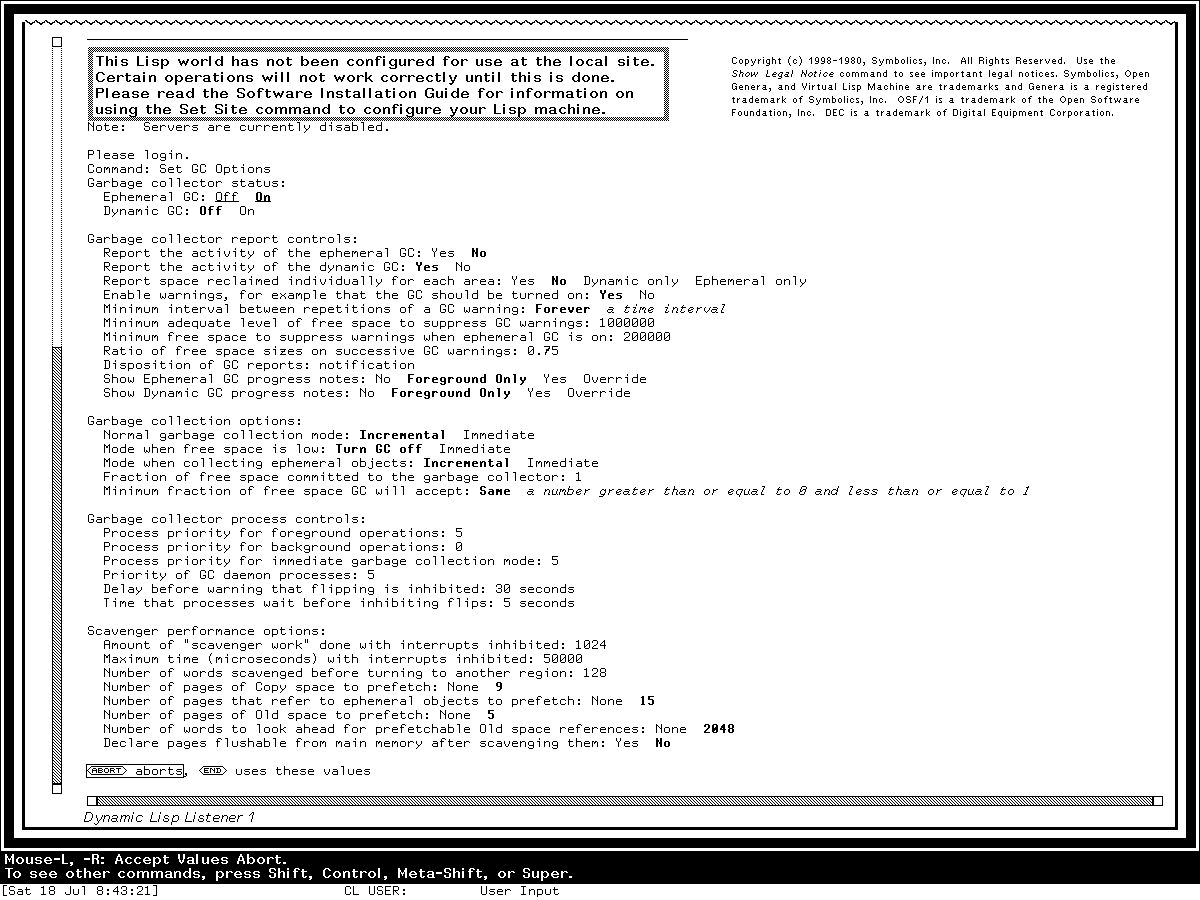
Runtime observation: a D28 interface-language example. It shows that a form can be semantic printed output rather than a grid of modern widgets; volatile GC values are not documented defaults.
Languages, networking, and machine engineering: D37-D52
| Area | What you would use it for | First tour stop | Preserved boundary |
|---|---|---|---|
| D37 C/FORTRAN/Pascal | Edit, compile, debug, build, and call foreign-language code. | Use the language dossier to compare each product's editor/listener/debugger path. | Product documentation/source evidence; not loaded-world equivalence. |
| D38 Compiler Tools | Generate parsers/lexers and use syntax-aware editor support. | Follow the architecture from grammar definition to Syntax Editor. Dossier | Exact system unloaded. |
| D39 Conversion Tools | Run structured source-to-source conversions from Zmacs. | Read all 14 commands and query controls before choosing a conversion set. Dossier | Exact system unloaded; no mutation demonstration. |
| D40 Joshua | Define predicates/rules and use unification, RETE, truth maintenance, tracing, and metering. | Tour the Jericho examples and presentation model through the dossier. | Optional product; base-world runtime not claimed. |
| D41 Statice | Define persistent classes and browse a database/server. | Follow object-to-DBFS/B*-tree layers in the dossier. | Optional server/product; no configured database. |
| D42 Macsyma | Manipulate symbolic expressions, plot, and use MEDIT/Display Editor. | Learn the expression gestures and menu panels in the dossier. | Product unloaded in inspected world. |
| D43 NS design | Design schematics, simulate gates, lay out boards and ICs, and exchange design data. | Choose the Basic/Schematic/Gate-Array/PCB/VLSI layer in the NS dossier. | Product/media evidence; no live project or screenshot invented. |
| D44 CLOE | Migrate and deliver Genera Lisp applications to Intel DOS/Windows. | Follow development-to-delivery stages in the CLOE dossier. | Absent from preserved media and base world. |
| D45 transports | Understand Chaos, IP/TCP, NFS, name/service paths, and protocol layering. | Inspect the disabled network registry, then read the architecture dossier. | Sandbox has no external route. |
| D46 services | Configure and operate network/site utilities. | Read the live registry view and service-state vocabulary in the dossier. | Disabled/unconfigured is the observed state. |
| D47 RPC/embedding/Mac | Integrate Genera with UNIX, host RPC, MacIvory, and Keyboard Control. | Open Keyboard Control only for a read-only view; trace the layers in the dossier. | Host/product combinations vary; no blanket interoperability claim. |
| D48 CLX/X | Create remote X screens or serve X facilities. | Read the CLX dossier. | Harness X11 is the VLM display transport, not proof of a configured Genera remote X service. |
| D49 CL-HTTP | Run HTTP servers/clients, proxy, W3P/W4, and contributed systems. | Study controls and security findings in the dossier. | Systems are contributed/media-present and unloaded. |
| D50 CADR microassembler | Build CADR microcode. | Use the CADR microassembler dossier as historical comparison. | Not a Genera application. |
| D51 CADR diagnostics | Checkout and diagnose physical CADR hardware. | Use the CADR diagnostics dossier as lineage comparison. | Not a Genera application. |
| D52 Ivory/FEP/VLM | Understand processor, front end, Life Support, VLM host, and debugger layers. | Compare the live version probes with the implementation-layer dossier. | Hands-on read-only probes; guest Save World and host checkpoints are not inferred. |
Demonstrations and examples: D53-D60
| Area | What you would do | First tour stop | Preserved boundary |
|---|---|---|---|
| D53 MUNCH | View the historical Munching Squares algorithm. | Read the CADR MUNCH writeup as lineage. | CADR program, not claimed as a Genera base-world app. |
| D54 LEXIPHAGE | Explore the CADR word-display novelty program. | Read the LEXIPHAGE writeup. | CADR program, not a Genera activity. |
| D55 Spacewar | Play the CADR two-ship game. | Use the Spacewar dossier as historical comparison. | No Genera application claimed. |
| D56 Doctor | Converse with the CADR ELIZA-style program. | Use the Doctor dossier as historical comparison. | No Genera base-world application claimed. |
| D57 CADR HACKS | Run the earlier display/sound/novelty suite. | Compare its members with the CADR suite. | Distinct from Genera HACKS. |
| D58 Genera HACKS | Run 18 registered demonstration names. | Choose one member by its audited purpose and controls in the suite dossier. | Exact demo system failed at unavailable file service; no live demo frame invented. |
| D59 CLIM demos | Learn CLIM frames, presentations, formatting, and gadgets through examples. | Follow the CLIM demonstrations dossier. | Definitions/media are cataloged; runtime load state must be checked per frame. |
| D60 product/examples | Study small Dynamic Windows, CLIM, graphics, networking, and product examples. | Use the examples dossier to choose one with satisfied prerequisites. | Examples are not automatically loaded, safe, or standalone applications. |
Completeness and evidence
Every D01-D60 area appears above. The canonical application dossier coverage matrix supplies exact release profiles, complete input trees, source/manual/runtime discrepancies, and open oracles. This atlas tells a newcomer where to go and what not to assume.