Inks, faces, and character styles in Symbolics Genera
Genera does not have one unified “ink and face” facility. It has several related layers that must be kept distinct:
- a character style is a semantic
(family, face, size)description attached to text; - a display device resolves that description to a concrete raster font;
- TV and Dynamic Windows carry character styles through streams and redisplay;
- native graphics use Boolean raster operations, colors, stipples, tiles, and opacity-like opaque/transparent pattern behavior; and
- CLIM II supplies a separate, more general algebra of designs and inks through its Genera port.
This separation is the central finding. A face such as :BOLD is not a bitmap, an RGB color, a stipple, or a CLIM ink. It is one component of a semantic text style. Likewise, a Dynamic Windows drawing :PATTERN is not automatically a CLIM pattern design. The shipped conversion tool translates between some of these vocabularies, which is evidence that they are adjacent systems rather than one object model.
Evidence profile and terminology
The selected profile is the licensed Open Genera 2.0 media's Genera 8.5 world and selected source tree. Source claims below come from the exact artifacts in the provenance table. Runtime claims apply only to world a8ee5e86…0672, observed through the isolated Xvfb harness on 2026-07-26. No licensed source or extracted font data is reproduced here.
| Term | Meaning in this article |
|---|---|
| character style | Interned semantic triple of family, face, and size, plus an implementation slot for extended attributes |
| family | Broad typographic family such as fixed-width, sans serif, or serif |
| face | Variant such as roman, bold, italic, or condensed |
| size | Absolute named size or relative transformation such as smaller |
| font | Device-specific raster font object selected after style resolution |
| native ink | Informal umbrella here for Dynamic Windows/TV raster ALUs, colors, and patterns; it is not a source-defined common class |
| CLIM ink/design | CLIM II's portable design algebra, including colors, opacity, patterns, and composites |
The source structure does contain an extended-attributes slot, but its own merge routine says it does not handle that slot. This article therefore does not invent an underline, strikeout, weight-axis, or other extended-attribute protocol.
Character styles are semantic and interned
SYS2; CHARACTER-STYLES defines a permanent named structure with family, face, size, index, and extended-attributes slots. Styles are interned by the first three components. A 256-entry table assigns compact indices suitable for styled “fat” characters; index zero is the null style (NIL NIL NIL).
The initial vocabulary is:
| Component | Initial accepted values |
|---|---|
| family | NIL, :FIX, :SWISS, :JESS, :EUREX, :DUTCH, :HANDWRITTEN, :DEVICE-FONT |
| face | NIL, :ROMAN, :BOLD, :ITALIC, :BOLD-ITALIC, :UPPERCASE, :BOLD-EXTENDED, :CONDENSED, :EXTRA-CONDENSED |
| size | NIL, :SMALLER, :SAME, :BIGGER, :LARGER, :TINY, :VERY-SMALL, :SMALL, :NORMAL, :STRETCHED, :LARGE, :VERY-LARGE, :HUGE |
Compatibility parsing canonicalizes :SANS-SERIF and :HELVETICA to :SWISS, and :SERIF and :TIMES-ROMAN to :DUTCH. Device mappings also use :CONDENSED-CAPS and :BOLD-CONDENSED-CAPS; the implementation can extend each component registry, so the initial lists are not a closed ontology.
An invalid component signals a typed condition. Its interactive recovery choices include using the value once, registering a new component, making the value valid, replacing the whole style, or continuing with an undefined style. Programmatic extension points are ADD-CHARACTER-STYLE-FAMILY, -FACE, and -SIZE.
Exact merge behavior
MERGE-CHARACTER-STYLES overlays a style on a default:
- a null style returns the default;
- a
:DEVICE-FONTstyle wins directly; - each non-null family or face replaces the corresponding default component;
- null and
:SAMEsizes inherit; :SMALLERsteps down and:BIGGERor:LARGERsteps up the absolute size sequence, clamping at:TINYand:HUGE; and- when the default is a device font, only a fully specified absolute semantic style displaces it. A relative or incomplete overlay retains the device font.
For example, merging (NIL :BOLD :LARGER) over (:SWISS :ROMAN :NORMAL) produces (:SWISS :BOLD :LARGE). Repeated relative merges are therefore stateful transformations of the current effective size, not stored scalable-font instructions.
Resolution to a real font
Each display or output device owns mappings from character set and character style to either:
- a concrete font;
- a
(:FONT ...)indirection; or - a
(:STYLE ...)indirection that merges another semantic style and resolves recursively.
A wildcard size mapping may cover otherwise unmapped sizes. Character sets that do not carry styles fall back to (:FIX :ROMAN :NORMAL). Missing resolution signals NO-CHARACTER-STYLE-MAPPING; recovery can select a replacement style, undefined style, another font, or font substitution. Successful recovery is cached. Global and per-device invalidation ticks prevent stale caches after mapping changes.
The :DEVICE-FONT family is an explicit escape hatch: its face slot names a literal font and its size is :NORMAL or wildcard. CHARACTER-STYLE-FOR-DEVICE-FONT and font backtranslations bridge concrete fonts back to styles. Undefined styles map to a box-font stand-in rather than silently selecting an arbitrary ordinary face.
Built-in monochrome mapping profile
The source-defined black-and-white device mappings establish these families:
| Semantic family | Mapped sizes and representative fonts |
|---|---|
:FIX |
tiny TINY; very small EINY7 variants; small TVFONT variants; normal CPTFONT variants; large MEDFNT variants; very large BIGFNT variants |
:SWISS |
very small HL8; small HL10 variants; normal HL12 variants and condensed-cap forms; large HL14; very large SWISS20 |
:DUTCH |
very small TR8; small TR10; normal TR12; large DUTCH14; very large DUTCH20 |
:JESS |
small, normal, and large roman/bold/italic JESS11, JESS13, and JESS14 families |
:EUREX |
very-large and huge italic EUREX21I and EUREX24I |
The exact FIX normal faces include roman, italic, bold, bold-italic, bold-extended, condensed, and extra-condensed mappings. Mouse, arrow, and symbol character sets have their own fonts. This is a raster-font mapping table, not a vector-font selection or synthetic slant/weight engine. See the resident-font catalog and extractor for the separate artifact analysis.
Other devices can preserve the semantics while changing the concrete font. The selected tree contains separate mappings for printers, NSage, and Macintosh display devices. Hardcopy therefore need not use the same bitmap that a screen uses.
How applications carry styles
TV sheets have default, current, and merged character styles. The compatibility default font is FONTS:CPTFONT, while the semantic screen default is FIX.ROMAN.NORMAL. A sheet validates a new default against its device and updates line height and redisplay state. Its WITH-CHARACTER-STYLE operation merges a nested style with the current style and then the sheet default, validates outside the dynamic binding to avoid recursive error handling, and can preserve or rebind line height and baseline.
Dynamic Windows formatted output stores style with buffered output entries. WITH-CHARACTER-FAMILY, WITH-CHARACTER-FACE, WITH-CHARACTER-SIZE, and WITH-CHARACTER-STYLE provide nested semantic changes, and redisplay carries those styles back through reconstruction. Style is therefore content/display state, not merely a transient mutation of an X graphics context.
Representative source-defined uses include:
| Area | Use |
|---|---|
| menus | JESS.ROMAN.LARGE default; a null selected-item style requests inverse video |
| who line | separately configurable mouse-documentation, status, progress, and file-state styles; defaults combine SWISS and FIX condensed forms |
| Flavor Examiner | condensed SWISS body/heading styles and a large italic EUREX title |
| Concordia/NSage | semantic JESS, SWISS, DUTCH, and EUREX roles with screen and printer mappings |
| Joshua | named heading, emphasis, and deemphasis variables using bold and italic faces |
| editors | large JESS/FIX labels and samples in the bitmap, stipple, and font tools |
| hardcopy | per-printer body and heading styles, independently resolved on printer devices |
| CLIM applications | CLIM text styles, adapted through the Genera CLIM port rather than treated as TV font objects |
These are established uses in the selected source. They are not a claim that every application uses each style or that the table is an exhaustive inventory of every literal style form in all optional products.
Relationship to Emacs faces and themes
Genera has some of the mechanisms that an Emacs user would associate with faces, but it does not combine them into one equivalent global face/theme facility.
The closest correspondence is:
| Emacs-like concept | Closest Genera mechanism | Important difference |
|---|---|---|
| semantic text appearance | interned character style plus an application role variable | a Genera style contains family, face, and size, not foreground, background, underline, box, stipple, and the other properties commonly grouped into an Emacs face |
| inheritance or overlay | MERGE-CHARACTER-STYLES and nested WITH-CHARACTER-STYLE forms |
merging is component-wise over the three typographic components; there is no general named-face inheritance graph in the selected implementation |
| terminal/display adaptation | per-device character-style-to-font mappings | this is a strong Genera feature: the same semantic style can resolve to different screen, printer, NSage, or Macintosh fonts |
| user customization of roles | screen options, Zmacs defaults, printer attributes, init-file variables, and application-specific heading/emphasis variables | customization is distributed among subsystems rather than collected in one theme object |
| foreground/background styling | native colors, ALUs, stipples and patterns, or CLIM inks | these are separate drawing state and are not attributes of a native Genera character style |
Thus a variable such as a Joshua heading style or a who-line documentation style is functionally close to a named semantic face role: application code refers to the role and a user or site can replace its character-style value. Pane and application defaults provide another level of indirection. But many applications instead embed literal styles, and the selected source shows no system-wide theme package that atomically remaps a common catalog of roles.
In particular, Genera's literal face field is narrower than “face” in modern Emacs terminology. It is the second member of (family, face, size), normally a font variant such as roman, bold, italic, bold-italic, or condensed. Changing that field does not itself change ink, background, border, stipple, or window decoration. A coordinated visual theme is possible through init-file and subsystem customization, but it is a collection of settings rather than one first-class theme definition in the selected Genera 8.5 evidence.
User customization
Zmacs text
Zmacs can replace or merge character style over one character, a word, or a region, and can set the style for subsequently typed text. Replacing installs the selected style index. Merging preserves existing non-null components and fills or transforms the remaining components. Thin lines are promoted to styled fat strings when needed.
| Command | Binding | Result |
|---|---|---|
| Change Style Char | Control-J |
Change the following character or numeric count |
| Change Style Word | Meta-J |
Change the following word or numeric count |
| Change Style Region | Control-X Control-J |
Replace the region; a numeric argument requests merge behavior |
| Change Typein Style | Control-Meta-J |
Change the style of newly inserted text |
| Change One Style Region | named command | Replace only one selected source style within the region |
| Set Default Character Style | named command | Set a fully specified buffer default and optionally update pathname attributes |
| Find Character in Style | named command | Search for the next character in a selected style |
| Show Character | Control-Shift-J |
Report the character and resolved style/font |
| Show Character Styles | named command | Display styles, resolved fonts, standard samples, and buffer samples as presentations |
The default Quick style dispatch is an interaction tree:
Change Style
├── B -> bold
├── I -> italic
├── P -> bold-italic
├── N -> null style
├── S -> smaller
├── L -> larger
├── Meta + dispatch character -> redefine that dispatch
├── Escape -> prompt for one full style
├── Space or Return -> reuse the previous/default choice
├── End -> null style
├── Help -> show the active dispatch table
└── Abort, Control-G, or Rubout -> cancel
Control, Super, or Hyper on an ordinary quick-dispatch character is rejected. *CHANGE-STYLE-MODE* selects Quick or Prompt For Name. The editor remembers the last style for repeat use. *UPDATE-TYPEIN-CHARACTER-STYLE-WHEN-MOVING* can be Disabled, Before, After, or Heuristic, controlling whether movement adopts nearby text's style. The window-label character style is also a live editor option.
A character-style presentation accepts FAMILY.FACE.SIZE, a face alone such as ITALIC, or DEVICE-FONT.font-name when allowed. It can derive a style from a visible character. Its menu offers common fully specified FIX, SWISS, and DUTCH choices, valid relative combinations, and an Other path that independently chooses family, face, and absolute or relative size. Device-aware completion filters choices against real mappings.
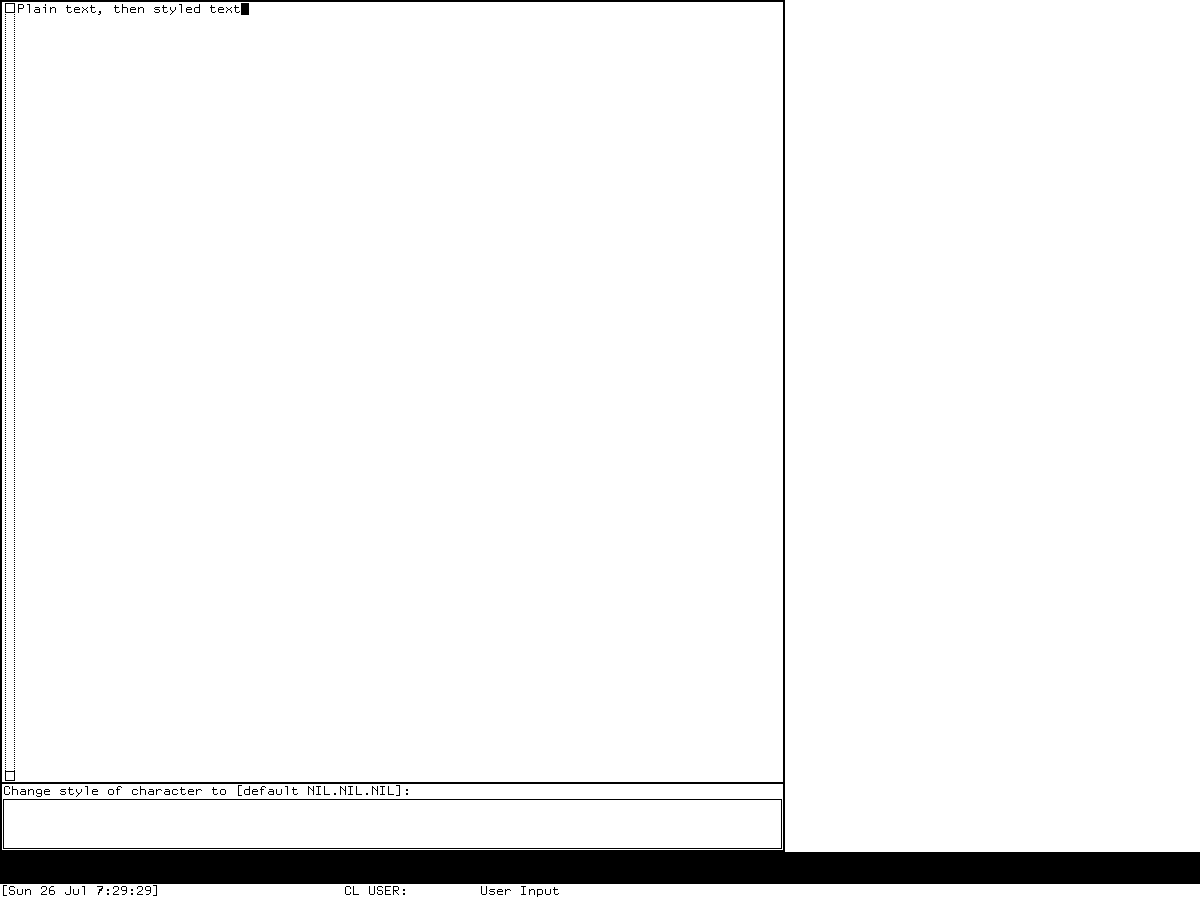
Runtime observation, Genera 8.5 world a8ee5e86…0672, 2026-07-26. After selecting Zmacs, the researcher entered a short test line and dispatched the style command through the Xvfb modifier mapping. Zmacs displayed Change style of character to [default NIL.NIL.NIL]:. This establishes the visible nested prompt and null-style default, not every completion or menu branch. The screenshot is included for nonprofit historical analysis under the image-specific fair-use review; Symbolics retains any copyright interest, and no affiliation or endorsement is implied.
Defaults, files, and mail
Set Default Character Style updates the buffer property and current sheet, and can write a Default-character-style pathname/file attribute. The older Fonts attribute remains recognized for compatibility. A major mode supplies a default when the buffer does not.
The string dump stream serializes styled characters with changes in character set, bits, offset, and family/face/size. Styled output uses the current standard version-2 encoding in the selected source. The default style travels out of band as a file attribute, while individual characters retain their actual styles. This is why a styled file is more than plain characters plus a screen preference.
Zmail has parallel persistence: message data can carry character-type mappings and a Default-Character-Style header, and reply, template, export, and undo paths preserve or change that state deliberately.
Screen, printer, and application settings
Set Screen Options exposes who-line styles as fully specified, device-valid character-style values and applies changes live. Hardcopy's *HARDCOPY-DEFAULT-CHARACTER-STYLES* is explicitly intended for init-file customization. It maps a qualified or unqualified printer name to body/heading overrides; printer namespace objects also have Body Character Style and Heading Character Style attributes. The printer device resolves these semantic styles using its own font map.
Application authors can:
- define new valid family, face, and size names;
- install or remove device mappings and backtranslations;
- use relative style wrappers around formatted output;
- expose device-aware style presentations in accepting-values forms;
- set application or pane defaults; and
- use semantic role variables, as NSage and Joshua do, rather than hard-code concrete raster font names.
Native graphics: colors, ALUs, and patterns
Dynamic Windows' native drawing state includes thickness, scaled thickness, end and joint shapes, dashing and phase, :ALU, :PATTERN, :STIPPLE, :TILE, :GRAY-LEVEL, :COLOR, and :OPAQUE. Defaults include the drawing ALU, an all-ones pattern, gray level 1, no explicit color, and opaque pattern behavior.
An array supplied as :PATTERN is normalized as a stipple; a color object is normalized as a color. With an opaque pattern, zero bits clear the destination. With a non-opaque pattern, zero bits leave it unchanged. This is raster operation semantics, not alpha compositing.
The selected source defines 37 active named stipples:
- density grays: 50%, 25%, 75%, 33%, HES, 12%, 10%, 9%, 8%, 7%, 6%, and 5.5%;
- directional marks: southeast/southwest dense, thin, and thick hatches, southeast and southwest rain, and alternate rain;
- linear patterns: tracks, horizontal/vertical dashes, and horizontal/vertical lines; and
- decorative/geometric patterns: bricks, half-bricks, double-bricks, tiles, hearts, small and large diamonds, parquet, weave8, weave8b, and filled diamonds.
The twelve gray masks, their exact #/. periods, computed densities, selection rules, customization paths, and source-established uses are cataloged separately in Gray patterns and stipples in Symbolics Genera.
A stipple records name, density, and X phase. Named registries support lookup, and gray selection chooses a nearest density. The broader pattern protocol includes basic, device, raster, raster-slice, and PostScript representations; simple bundles of drawing arguments; device-conditional patterns; two-color stipples; and contrasting-pattern selection. Color devices can choose contrasting named colors, while monochrome devices use gray-pattern logic.
Genera's standard color objects and RGB/IHS/YIQ facilities are documented with the interactive editor in Color systems and the Color Editor. That article also explains why CADR COLOR-INKS are a different, earlier indexed color-map mechanism.
CLIM inks are a separate compatibility layer
CLIM II defines portable foreground, background, and flipping inks; colors; opacity; patterns; composite designs; and contrasting inks. It also defines text styles with family, face, and size components. The Genera CLIM port maps those abstractions onto its native display and hardcopy facilities.
The source-visible DW-TO-CLIM converter makes the boundary concrete: Dynamic Windows default-character-style becomes a CLIM default-text-style, and WITH-CHARACTER-STYLE becomes WITH-TEXT-STYLE, with corresponding family, face, and size conversions. A converter would be unnecessary if the two APIs and object models were identical.
The selected media retain most Genera CLIM medium/design implementation as compiled VBin rather than readable source. Therefore the exact per-operation mapping from every CLIM composite design to Genera raster ALUs is a TODO, not an inferred identity. See CLIM II on Genera for the complete facility and port inventory.
Preservation and reconstruction implications
- Preserve semantic style indices and the interning/mapping tables, not only rendered glyph pixels. The same styled text can legitimately resolve differently on screen, Macintosh, and printer devices.
- Preserve file attributes together with styled character data. The default style is intentionally out of band.
- Do not turn relative sizes into point sizes without a selected compatibility profile; the source uses a finite named ladder with clamping.
- Keep the native raster drawing protocol separate from CLIM's design algebra.
- Preserve stipple dimensions, phase, density metadata, opaque behavior, ALU, and device selection. A PNG of one result is insufficient.
- Do not describe Genera as having a general vector-font renderer based on semantic family names. The inspected mappings resolve to device fonts, and the resident screen fonts recovered from this world are raster fonts.
Open questions
- Exercise every character-style presentation menu branch in the world, including a successful style change, device-font selection, invalid-component restarts, and the complete device-filtered menu.
- Load the optional Color Editor in an isolated, provenance-pinned local source service and capture one reviewed color/palette state; the base world had no registered color screen.
- Determine the exact compiled Genera CLIM medium mapping for composite, translucent, and patterned designs without publishing licensed code.
- Test round trips of styled files, Zmail messages, and printer overrides against controlled local fixtures.
- Inventory every optional product's added style-family registrations. The present survey covers the selected declared source tree but does not claim every separately licensed product.
Preservation record
The source path prefix is the licensed media's sys.sct/; paths below are portable artifact names, not repository links.
| Artifact | Bytes | SHA-256 |
|---|---|---|
sys2/character-styles.lisp.~214~ |
62,211 | 134aa5e2f6060a36dcea8294002a1396e66a44b4e9ec01930b90e754bb045686 |
sys2/character-style-presentations.lisp.~64~ |
45,871 | 0649ab332ccd23954b660d31f21766c5cc18e388372f799c4152ea0113630aed |
window/tvdefs.lisp.~488~ |
68,717 | 8d4f22284a36e6e465ffda185279415a00cb3234251a6a769bd260d61ba79a5a |
window/sheet.lisp.~884~ |
125,271 | 7db635e0e45743d1fc1566a62caed9459b21f56fdee62960c4f286dfcfa8b554 |
window/wholin.lisp.~361~ |
86,567 | 8898577e729d1353d49c8ca990d229abe387c39e53d1b8b3ce1a8e5d806bbadb |
dynamic-windows/formatted-output.lisp.~397~ |
108,448 | 7317eee2b94d185f6f3ca51feed57a4adec7594760a81c17f7b55b043bb67de0 |
dynamic-windows/redisplay.lisp.~185~ |
113,947 | 61134f02a3491966b3f45199af264e622b2004feccc3c2e3263e9866a99b699e |
dynamic-windows/graphics-generics.lisp.~246~ |
182,943 | 76d11cb53809b2b96a07ed654fa57a63f52676a789978396e05a2b03d69576cd |
dynamic-windows/graphics-patterns.lisp.~12~ |
19,323 | 83a6515079302d4fdf7d69fdf4b6b131d619e5edb3c34651effe099fb7a991ac |
zwei/style.lisp.~123~ |
49,844 | 14425902c9cc283588127f811dbcb87004197d40e34a0e19e9fe91fd17f592ca |
zwei/attributes.lisp.~15~ |
47,274 | 7b4cf251d52cfd7761c0db51d239bfb1b6a8dcc0c1ea93f653cce401eccbf5a5 |
zwei/macros.lisp.~276~ |
71,023 | c7db63e24f706e2fa102db25026a8556ebfbc950d18592c0817f7b48274ad59d |
io/string-dump.lisp.~200~ |
75,627 | 00f3a40fafa55f0ff6028d26944ed9dd05b0d0b14ede1cb4d4ad235c98dc4d5c |
window/colors.lisp.~23~ |
41,944 | 5978600d367b50c87134e4f86ddda6bba2f25471251ee02802b0ac474d9aa5e2 |
hardcopy/printer.lisp.~1561~ |
38,045 | cbc0e4d73d9ba35fbb83e40f25be0fd84f8fb0f68b7c75d7149f3c43d36d4fdf |
hardcopy/defs.lisp.~1519~ |
16,767 | 14c3b2c1a266fe0263aa4b323216fc075f38395180b2d62eba484ddd17b7588e |
conversion-tools/dw-to-clim.lisp.~50~ |
123,785 | 46de18026baecae99595c486d973539e24ff467e0082996460d56b88a5446c8c |
The runtime capture is an exact 1,545-byte, 1200-by-900 grayscale PNG with PNG SHA-256 e83d3cd7…cf09 and decoded-pixel SHA-256 67474be0…bf7e. Session ink-face-20260726, generation 1, recorded 18 action records with final action-log SHA-256 10ca9183…63d3. The base and private world hashes remained a8ee5e86…0672. Shutdown prompt and confirmation were observed and cleanup began, but the known VLM cleanup stall required bounded forced termination. The harness did not invoke Save World or create a host checkpoint; save_world_performed and guest_checkpoint_created remain unknown, and the unsaved session state was discarded.
Sources
- Symbolics, licensed Open Genera 2.0 / Genera 8.5 media, exact selected artifacts above; inspected locally 2026-07-26. No licensed source text or font data is reproduced.
- Symbolics, Genera Concepts, for the user-level relationship among fonts, character styles, streams, and Dynamic Windows; verified 2026-07-26.
- Symbolics, Editing and Mail, for supported style-editing workflows; verified 2026-07-26.
- Symbolics, Common Lisp Interface Manager, Release 2.0, for the portable CLIM ink/design model used only as a terminology cross-check; verified 2026-07-26.
- Museum companions: Color systems and the Color Editor, CLIM II on Genera, Dynamic Windows, and Zmacs keybindings.
Last verified: 2026-07-26.